Пятёрочка: доставка продуктов
- 4.0
- Rating
- 10.00M
- Installs
- Free
- Price

 Analysis by App-foxy
Ordering groceries from a phone sounds simple until you are standing in the kitchen, missing one ingredient, and trying to decide whether a delivery app will actually save time. I spent time with Пятёрочка, the Food & Drink app from the developer Пятёрочка, to see how well it handles that everyday problem. My impression is that it is most useful when you already know what you need and want a practical way to arrange a grocery order without visiting a store.
The app is free, aimed at everyone, and available for Android devices running version 9 or later. Its current version is 3.42.1, and its large user base gives it a level of familiarity that many smaller grocery-ordering apps do not have. The store shows an average rating of 4.0 from around 373 thousand ratings, while the app has passed 10 million installs. Those figures do not guarantee a perfect experience, but they do suggest that this is an established service rather than a new experiment.
What to expect before placing your first order
The main idea is straightforward: use the app to choose groceries and household products, then arrange delivery to your location. The service is built around quick grocery shopping, with delivery presented as taking about 30 minutes in suitable situations. I would treat that as a useful target rather than a promise for every order, because the real experience naturally depends on the store, stock, distance, and demand at the moment you shop.
You May Also Like

 AccuWeather: Weather Radar
AccuWeather Review: A Quick, Clear Forecast for Everyday Decisions
For everyday plans, the best forecast is the one you can understand quickly. AccuWeather makes rain timing, radar, and local conditions easy to act on, with a few trade-offs.

 Hill Climb Racing
Why Hill Climb Racing Still Turns Crashes Into One More Run
A tiny car, a bumpy hill and one more upgrade: Hill Climb Racing keeps resurfacing because its simple chaos makes every near-miss feel personal.

 AliExpress - Shopping App
AliExpress Makes Global Shopping Feel Personal, but Shoppers Bear the Risk
AliExpress turns a global marketplace into a pocket-sized discovery engine. Its reach is useful, its shopping loop compelling, and its trade-offs easy to miss.

 Lords Mobile: Kingdom Wars
Lords Mobile Is a Kingdom-Building Routine, Not a Quick Match
A case-by-case verdict on the building, battles, device demands, and social commitments that make Lords Mobile rewarding for some players and exhausting for others.

 PDF Scanner app - TapScanner
TapScanner Makes Paperwork Easier to Capture, Check, and Share
TapScanner makes scanning with a phone feel less like a rescue operation and more like a dependable step in getting work done. Its capture tools are useful, though not flawless.

 Block Blast!
 Shows How Much a Puzzle Game Can Leave Out
A quiet grid game shows why puzzle players increasingly value instant clarity, repeatable skill and low-pressure play—and where the genre still needs to catch up.
More From Our News Desk
View All News


That distinction matters. This is not the same as browsing a large online supermarket catalogue and planning a substantial weekly shop with complete certainty. The strongest use case is a focused basket: breakfast items, drinks, snacks, cleaning supplies, or the ingredients you suddenly discover are missing. If I needed one or two bags of ordinary essentials without leaving home, this is the kind of situation in which the app made the most sense.
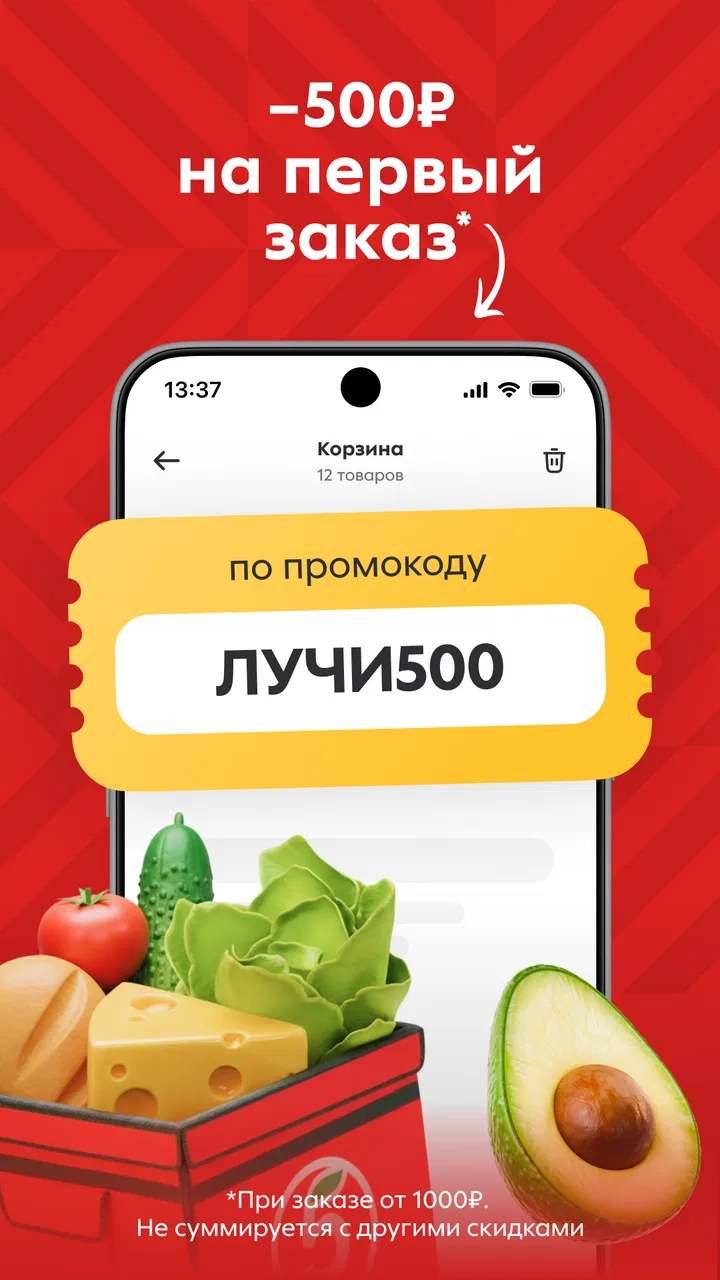
The daily discount and promotion focus is another important part of the experience. It can make the app more attractive than simply walking into a nearby shop, especially when the items you already intend to buy appear in a promotion. However, I would not install it expecting every product to be cheaper. Promotions are most valuable when they fit your shopping list; chasing discounts can easily lead to adding things you did not need.
Compared with a traditional supermarket visit, the advantage is convenience and speed. Compared with a broad delivery marketplace, the advantage is a more direct connection with Пятёрочка’s grocery selection. The trade-off is that you are working within that retailer’s range rather than comparing several supermarkets in one place. If finding the lowest price across different shops is your priority, a multi-store service may suit you better.
Who will get the most from it
I would recommend trying it if you live close enough to a participating Пятёрочка location, often buy familiar everyday products, and value avoiding a short but inconvenient shopping trip. It is also a sensible option for people who prefer ordering from a phone rather than making a list on paper and walking through the aisles.
The app can be particularly helpful after work. Imagine arriving home and noticing that you have no milk, bread, fruit, or something needed for dinner. Instead of putting on a coat and making a separate trip, you can search for the essentials, review the basket, and request delivery. That is a small task, but it is exactly where grocery delivery earns its place.
I would be more cautious if you need specialist ingredients, want to inspect fresh produce personally, or are planning a large shop where substitutions and missing items would cause problems. In those cases, visiting the store or using a service with a wider catalogue may still be the better choice. The app is convenient, but convenience does not remove the need to check what is actually in the basket.
Getting started without overcomplicating the setup
After installing the app, I would begin with the practical basics rather than immediately browsing promotions. Confirm your delivery location first, then look through the available products and notice how the catalogue is organized. This gives you an early sense of whether the nearby selection matches the way you normally shop.
For a first order, I recommend choosing a small group of products you know well. Familiar items make it easier to judge the search results, product presentation, availability, and final basket. Starting with a short list also makes any problem easier to identify. If you begin with a large weekly shop, it becomes difficult to tell whether an issue came from search, stock, delivery, or an accidental selection.
One useful habit is to decide your maximum basket before opening the promotions area. I found that promotional shopping works best as a final check, not as the starting point. First collect the things you genuinely need. Then see whether a discount changes the sensible choice between similar products. This keeps the app working for your routine instead of allowing the offer section to dictate it.
It is also worth checking the basket carefully before confirming. Look at quantities, sizes, and product variants rather than relying only on the product name. A familiar item may appear in more than one format, and a quick tap can add the wrong version. This is a basic step, but it prevents the most annoying kind of delivery problem: receiving something that was technically selected but not what you meant.
Turning the first session into a successful order
The clearest first success is not simply opening the catalogue; it is completing a small order that solves a real need. I would choose five or six ordinary items, search for each one individually, and pause after every addition to make sure the basket reflects the plan. That process is slightly slower than tapping rapidly through suggestions, but it gives a first-time user confidence in how the app behaves.
Search is most useful when you use everyday product terms rather than trying to describe the entire meal. If you need ingredients for dinner, search for the individual staples and then review the results. This approach reduces the chance of overlooking a basic item hidden inside a broader category. It also makes it easier to compare sizes and avoid filling the basket with unnecessary extras.
Before placing the order, I would review the total basket, the selected quantities, and the delivery details in one calm pass. The point is not to distrust the app; it is to catch ordinary human mistakes. Grocery orders are often made while distracted, and a final review is where you notice that you selected two packs instead of one or forgot the main ingredient entirely.
A small first basket is also a useful test of delivery timing in your area. The app presents fast delivery, but your own experience will tell you how well that expectation fits your location and the time you usually shop. Once that first order goes smoothly, you can decide whether the service is reliable enough for larger baskets or urgent situations.
Promotions are helpful, but they need a plan
The promotion system is one of the reasons to keep the app installed even if you do not order every day. Discounts can be convenient when they apply to products already on your list. I would check them after building the basket, then make substitutions only when the discounted alternative is genuinely suitable for the household.
This approach avoids a common trap in grocery apps: mistaking a lower price for a useful purchase. A deal on a snack you did not want is not a saving if it increases the final total. On the other hand, a promotion on a regularly used product can make delivery more appealing than a separate store visit. The value depends less on the size of the offer than on whether it matches your normal consumption.
For repeat use, I would keep a short mental list of products that are safe to buy without much thought and another list of items that require closer checking. Packaged staples are usually easier to order confidently. Fresh, size-sensitive, or brand-specific items deserve more attention before confirmation. That division makes the app faster without treating every product as interchangeable.
Where first-time users may become confused
The biggest source of uncertainty in grocery delivery is usually not the act of searching; it is stock. A product may be visible in the catalogue but become unavailable while an order is being prepared. For that reason, I would avoid building an important meal around one irreplaceable item unless I had a backup plan.
It is also easy to assume that the app represents the entire selection of a physical store. In practice, the useful question is not “Does Пятёрочка sell this somewhere?” but “Is this product available for my current order?” That change in mindset helps prevent disappointment. The app is showing you what you can reasonably request in your situation, not giving you a guarantee that every shelf item is always ready for delivery.
Delivery speed can create a second misunderstanding. A short advertised delivery window is appealing, but grocery preparation is not identical to ordering a ready-made meal. Items must be collected, checked, packed, and brought to the address. Busy periods and local conditions can affect the result. I would use the fast-delivery message as a reason to consider the app, not as a reason to postpone an important purchase until the last possible moment.
Promotions can create confusion too, especially when similar products have different sizes or conditions. I recommend reading the product card carefully and checking the basket after applying any offer. If the final selection looks different from the original plan, remove the item rather than assuming the promotion has automatically chosen the best option.
Another practical question is whether the app is suitable for a complete weekly shop. My answer is: sometimes, but do not assume it will be. It depends on your local availability, the size of your household, and how much flexibility you have about brands and substitutions. For a small household with predictable needs, it may handle a larger order comfortably. For a family that needs exact quantities and many fresh products, an in-person visit may remain more dependable.
How it compares with the usual alternatives
Walking into a Пятёрочка store still has one clear advantage: you can see the actual products and make immediate decisions about freshness, size, and alternatives. That is better when you enjoy browsing or need something very specific. The app wins when the trip itself is the inconvenience, particularly for a short list of routine items.
A general grocery marketplace may offer more choice across retailers, which is useful for comparing prices or finding unusual products. The downside can be a less direct shopping experience, with different stores, delivery arrangements, and product ranges mixed together. Пятёрочка’s app feels more focused: it is a practical channel for ordering from this particular grocery chain rather than a universal supermarket comparison tool.
Phone calls and messaging a local shop can work for simple requests, but they are less convenient for reviewing a basket visually. The app gives you a clearer way to search, adjust quantities, and inspect your order before sending it. That does not make it perfect, but it reduces the back-and-forth that can happen with informal ordering.
For a large planned shop, a desktop website or a physical store may still feel easier because you can see more products at once. For an urgent top-up, the phone format is a strength. My recommendation is to treat the app as an additional shopping route rather than trying to force it to replace every other method.
Small habits that make the app more useful
My first tip is to prepare the list before browsing. Even a short note with the essential products keeps the session focused and makes promotions easier to evaluate. Without a list, the app can turn a five-minute refill into an unplanned shopping session.
My second tip is to separate urgent items from flexible ones. Put the products needed for tonight at the top of your mental list, then add products that can wait. If something is unavailable, you will know immediately whether it affects the meal or is merely a convenience purchase.
My third tip is to use the first order as a local reliability check. Pay attention to how closely the delivered basket matches your selections, whether the timing suits your routine, and how easy it is to correct mistakes before confirmation. That experience is more useful than relying only on the general promise of fast delivery.
My fourth tip is to keep the promotion section in its proper place. Check it, but do not let it replace your shopping plan. The best saving is usually a discounted product you would have bought anyway, not an attractive item that changes the purpose of the order.
Finally, decide in advance which products you are willing to replace with another size or brand and which ones must be exact. This makes stock problems less stressful. It also helps you choose between the app and a physical shop: the more exact your requirements, the more valuable direct inspection becomes.
My recommendation for a first-time user
I see Пятёрочка as a focused grocery-delivery tool rather than a complete replacement for supermarket shopping. It is free, easy to justify for occasional use, and especially practical for ordinary products that you already know. The combination of home delivery and regular promotions gives it a clear purpose, while the large install base and 4.0 average suggest that many shoppers have made it part of their routine.
Still, I would begin modestly. Choose a small, familiar basket, review every item, and use that first order to learn what is available in your area and how well the timing fits your day. Do not depend on the fastest delivery expectation for a meal that cannot tolerate delays, and do not assume that every promotion is automatically a good deal.
After that first successful order, the app becomes easier to judge. If you value convenience, live near the relevant store network, and mostly buy standard groceries, it can remove a surprising amount of friction from everyday shopping. If you need a wider selection, exact fresh-food choices, or aggressive price comparison between retailers, another option may serve you better. For quick, familiar grocery top-ups, though, I think Пятёрочка is worth trying.
FAQs for Пятёрочка: доставка продуктов
01What is Пятёрочка: доставка продуктов and what can I order through it?
Пятёрочка: доставка продуктов is the official mobile app for ordering groceries and everyday household essentials from Pyaterochka stores. After entering your delivery address, you can browse available products such as fresh food, drinks, snacks, personal-care items, cleaning supplies, and other necessities. The exact catalog, brands, prices, and availability may vary depending on the selected store and your location.
02How does grocery delivery work in the Пятёрочка app?
To place an order, select your delivery address, add products to the shopping cart, choose an available delivery option, and confirm payment. The app normally shows an estimated delivery time before checkout, although this can change during busy periods, bad weather, or high demand. Orders are prepared by a nearby Pyaterochka store, so substitutions or unavailable products may occasionally affect the final order.
03Where is Пятёрочка delivery available, and can I use the app outside Russia?
The service is designed primarily for customers located in areas served by Pyaterochka stores in Russia. Delivery availability depends on your exact address, local store coverage, operating hours, and courier capacity. If the app cannot find a supported store after you enter your location, ordering may not be possible there. Users traveling abroad should not expect the delivery functions to work outside supported regions.
04How can I pay for an order, and are there delivery fees or minimum order requirements?
Available payment methods, delivery charges, and minimum basket requirements are displayed in the app during checkout and may differ by city, store, promotion, and delivery speed. In many cases, payment is completed electronically, but the options shown depend on the current service rules. Before confirming an order, carefully review the total amount, delivery fee, discounts, and any conditions connected with promotional offers.
05Can I use Pyaterochka loyalty discounts and what should I do if there is a problem with my order?
The app may allow you to connect or use your Pyaterochka loyalty account so that eligible discounts, bonuses, and personalized promotions can be applied to online purchases. Availability can depend on the product and campaign terms. If an item is missing, damaged, substituted incorrectly, or charged unexpectedly, open the order details and contact customer support through the available in-app help channels as soon as possible.
Pros
- Fast delivery slots are available in many supported neighborhoods.
- Frequent promotions and loyalty discounts can reduce the total cost.
- The catalog includes groceries
- household goods
- and everyday essentials.
- Order status updates make it easy to follow the delivery progress.
- Saved addresses and repeat ordering simplify regular shopping.
Cons
- Delivery coverage may be limited outside major cities and nearby areas.
- Some discounted items may have purchase quantity restrictions.
- Product availability can change before the order is assembled.
- Substitution options may not always match the selected product.
- The app requires account registration to place an order.

Пятёрочка: доставка продуктов
Gallery